Use the Employees, Substitutes or Volunteers section of the Personnel menu to add a new personnel record. You can add a person at any time and do not need to wait until they start in your organization.
Before adding a new person to your system, you should check to make sure there is not already a record for them in your system. To do this, click on Quick Search and use the Universal Search box to enter the name, ID, or SSN.

If they are already in your system, you can edit their personnel record. If they had been in the archive, click on the Reinstate button to move them from the archive to the employee list. Their status will probably also need to be changed.
If the person is not in your system, then click on the Add Personnel button. There may be a lot of data to enter but you can enter it as it is available. .
Depending on your system settings, you may be given an option to execute the universal search at this point. If you have already done it, just click on Continue.
Depending on your external system integrations, you may also be given an option to import information from an Application management system.
Enter the information as needed in each of the sections. The more information you enter, the more capability you will have to search for groups of employees with the same attributes. The following are some tips for entering new personnel records:
Social Security Number
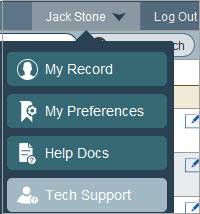
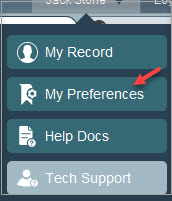
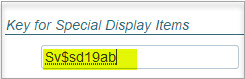
The SSN is encrypted for data security. If you have the special key in My Settings, the SSN will be recognizable. If not, you will see a long encrypted value. Contact your HR person or PeopleWerksHR administrator for the special key, if needed.
Status
Employment Status is very important and useful in searching and processing groups of people in various statuses. For new hires, the default is generally “New Hire” but you can change it as desired. For people hired to start in the future, keeping them in a “New Hire” status allows them to be separated from your “Active” people who you may be processing contracts and other year updates. After you have managed the information for your New Hires, the status can be changed to an active type status. This is only a recommended practice.
Job
You can add the job assignment for the employee. You can have two people showing in the same job assignment during the transition period when people are hired before the school year is over.
Salary
Enter the salary information in the Current Salary Details section. If the salary schedules have not been updated for the new fiscal year but are set up for next year, view the person’s salary data in the Next Year section.
Contract
Enter the contract information in the Current Contract section for new hires even if the fiscal year has not begun. For your contract letter templates, use the merge fields for “current” and not “future”.